
Modded Minecraft hosting for CurseForge, Fabric and Forge
Install version-matched mods, upload large packs or resource packs via chunked browser uploads and snapshot your world before every update.
Quick summary
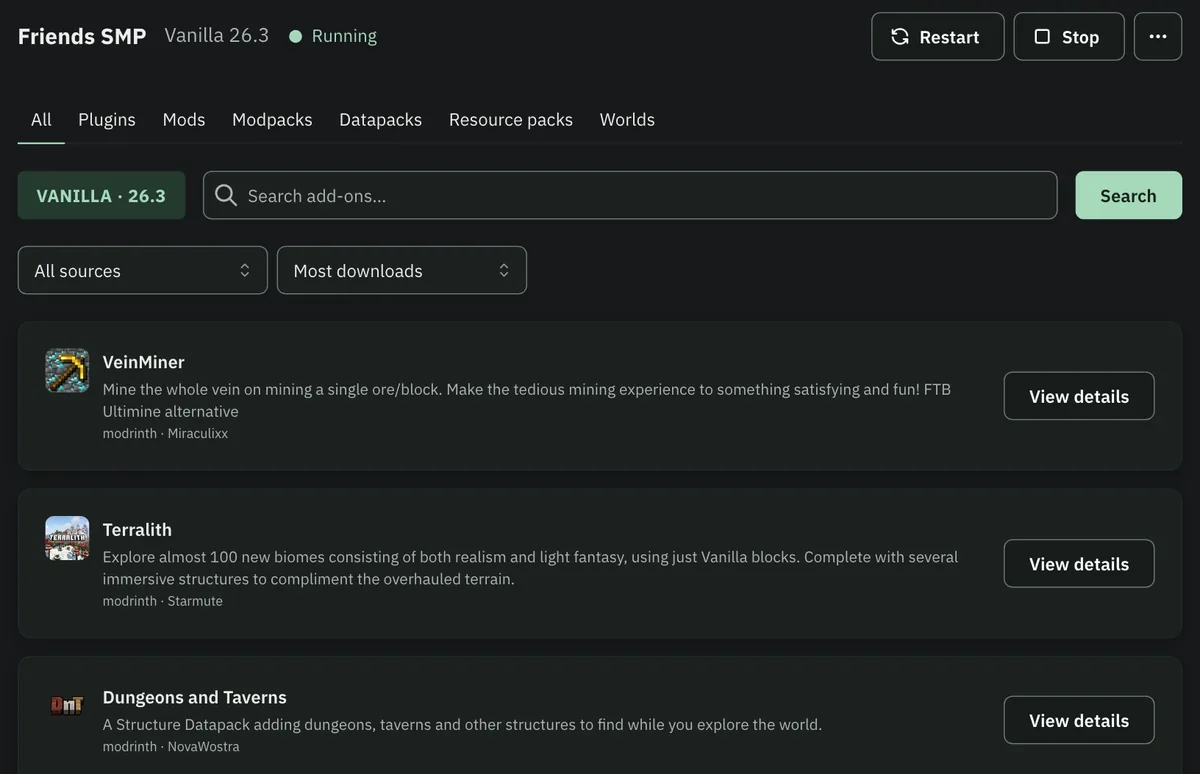
myCubeKub supports Fabric and Forge servers with built-in CurseForge search, .mrpack and resource-pack management, chunked uploads without FTP, and automated daily backups starting on the Plus tier.
Technical overview
Why run this setup on myCubeKub
Version-safe mod & pack installation
Avoid mismatched loader crashes by browsing and installing add-ons filtered to your server's loader and game version.
Safe chunked uploads for large mod folders
Upload mods and world archives reliably in chunks directly from your browser with archive safety checks.
Backups & merged resource packs
Snapshot worlds before editing mods and assemble or deliver server resource packs cleanly from the panel.
How to get started
Step 1
Choose Java with Fabric or Forge
Select the exact loader and Minecraft version matching the mods your friends run on their clients.
Step 2
Install mods from the catalog or upload files
Add compatible mods from the catalog or upload .jar and pack archives straight to the mods directory.
Step 3
Back up your world and verify resource packs
Save a backup snapshot and check the live console output after startup to verify clean mod initialization.
Current plans and billing options
Start free or use prepaid credits (1 credit = 1 THB) with hourly, daily or monthly options and zero automatic renewals.