Hourly Minecraft hosting — metered only while your server runs
Built for friend groups who play on weeknights or weekends. Switch freely between hourly runtime, 24-hour passes and 30-day plans from one prepaid wallet.
Quick summary
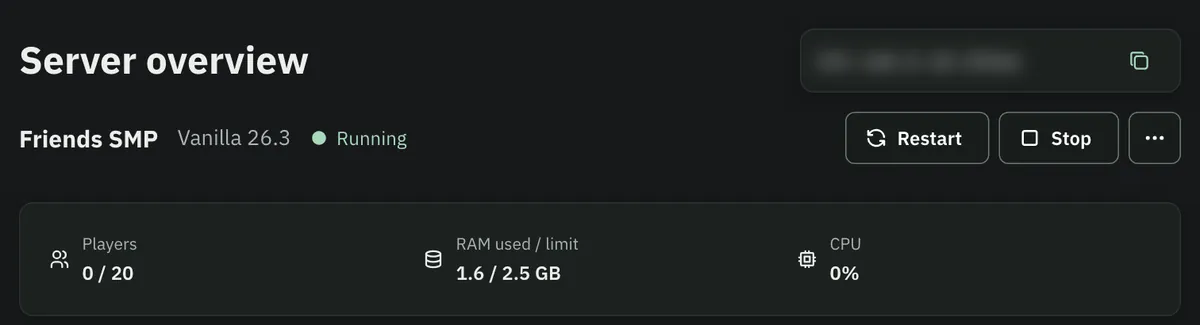
myCubeKub hourly plans count runtime only while a server is running — stopping the server pauses consumption immediately. Workspace credits work at 1 credit = 1 THB with PromptPay or card top-up and smart warnings when daily or monthly intervals become cheaper.
Technical overview
Why run this setup on myCubeKub
Stop the server, stop the clock
Hourly runtime drains only while at least one server in your workspace is running, preserving credits between play sessions.
Smart Interval Guard at checkout
If your selected hours or days cost as much as a longer pass, checkout automatically suggests switching to the cheaper daily or monthly interval.
Account-wide RAM & server pool
Paid workspaces pool RAM and server slots across your whole account, so you can run a main SMP and a test world under one plan.
How to get started
Step 1
Top up your workspace wallet
Add credits via PromptPay or card. Every 1 credit equals 1 THB and stays ready in your workspace wallet.
Step 2
Pick a tier and hourly, daily or monthly pass
Compare hourly, daily and monthly rates in the plan grid and activate with one click using your credit balance.
Step 3
Start for game night and stop when done
Start and stop servers anytime from the web dashboard while your world files and backups stay intact.
Current plans and billing options
Start free or use prepaid credits (1 credit = 1 THB) with hourly, daily or monthly options and zero automatic renewals.