Free Minecraft server hosting, ready for your friends
Launch a free Vanilla Java or Bedrock world from the web with live console, file access and player tools — without keeping your own PC running.
Quick summary
myCubeKub offers a free starter tier to create a Minecraft Java or Bedrock server with friends, complete with a shareable server address, web console, file browser and optional hourly, daily or monthly upgrades as your world grows.
Technical overview
Why run this setup on myCubeKub
Browser control panel, zero host setup
Containers, ports and join addresses are provisioned automatically — no router port forwarding or terminal setup needed.
Java, Bedrock and cross-play ready
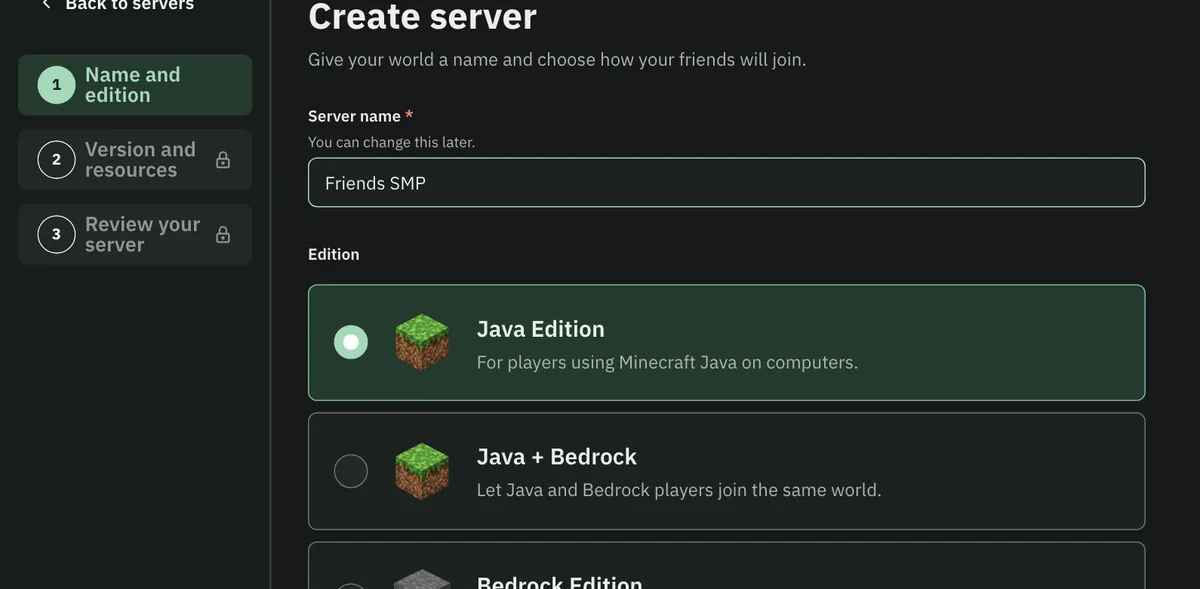
Choose the edition that matches your friends' devices right inside the 3-step creation wizard.
Seamless upgrades without losing your world
Switch to hourly, daily or monthly plans anytime to unlock more RAM, multiple servers and add-on tools while keeping your existing world files.
How to get started
Step 1
Create an account and workspace
Sign up free in seconds and initialize your workspace for your servers and team members.
Step 2
Select the free plan and configure your world
Pick your server name, edition and Minecraft version in the guided 3-step builder.
Step 3
Start the server and share the address
Start your world, copy the host address from the server header and invite friends straight into Minecraft.
Current plans and billing options
Start free or use prepaid credits (1 credit = 1 THB) with hourly, daily or monthly options and zero automatic renewals.